Service
Tasks, budget, sales and team in one system.
We build a management panel shaped around the structure of your company, not the other way round. Tasks, calendar, budget, team conversations and client contacts go into one place instead of several apps and spreadsheets. It is our code, so we add modules for a specific process.
A panel to try
See how it works.
This is a demo version of the system we work in ourselves. Tick off a task, call a client, post in a channel.
The day's plan, team presence and work progress in one view.
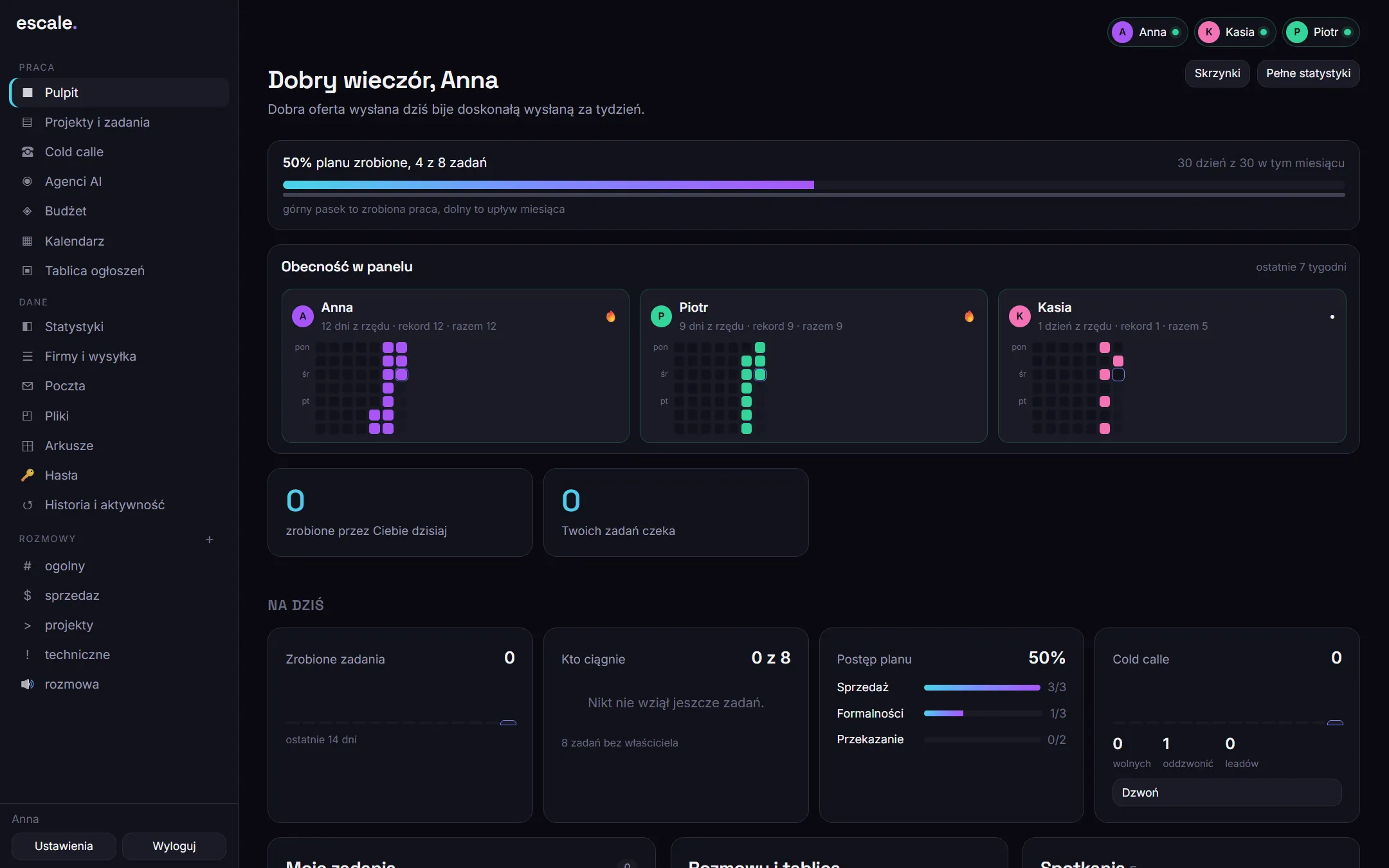
Demo version. Everything is clickable: the companies, people, amounts and phone numbers are examples.
Systems you already have
We connect what the company works on today. Data from several systems is visible in one place, without switching windows or retyping.
The new system you need
Warehouse, fleet, tickets, contract workflow: we build it from scratch as another view of the same panel.
One login for the whole company
Each department sees its own views, the board sees everything. The same accounts and permissions across all systems.
Scope
What is in the system
Projects and tasks
A plan broken down into stages, with assigned people, milestones and a change history. The plan can be imported straight from a spreadsheet.
Team calendar
Shared meetings, leave and deadlines. The invitation reaches the person together with a reminder on their phone.
Budget and payments
Fixed costs, one-off expenses, payment dates and a monthly limit. You see at once how much is left and what is due this week.
Conversations and channels
Team conversations split by topic, with photos and mentions. They stay in the company when someone changes jobs.
Client calls
A callback queue, a client card with history and an outcome after every call. The salesperson calls from the computer through their own phone.
Files and password vault
Team documents in one place and passwords to company accounts behind an additional PIN.
Process
How we deliver the system
Demo and discovery
We show the panel live and listen to how the team works today. That decides which modules stay in the menu.
Setup for your company
We create accounts for the team, modules, budget categories and conversation channels. The panel gets your company's name and address.
Data migration
We import the task plan from a spreadsheet, the client list from a file and the fixed costs. Nobody retypes anything by hand.
First week and further development
The team works in the panel and we fix whatever proves awkward in daily use. Later we add further modules, for example a new report.
Example
Property sales and price publication in one tool
For a property developer, the panel runs the sales of a development, and a connected plugin publishes flat prices on the government portal every day.
Questions
Before you ask.
Do we have to roll out all the modules?
No. At the start we establish what the team actually uses, and only that stays in the menu. The rest can be switched on later.
Does the system work on a phone?
Yes. The panel runs in the browser on a computer and on a phone. On a phone you can add it to the home screen like an app and receive notifications, without installing anything from a store.
What about the data that is in spreadsheets today?
We migrate it during delivery. We import the task plan from a spreadsheet, and companies and contacts from an xlsx or csv file.
Can you add a feature the panel does not have?
Yes. It is our code, so we add modules for a specific process in the company. For property developers this is most often daily publication of flat prices and handling unit reservations.
- AI agents
- process automation
- custom systems
- integrations
- compliance
- campaigns
- motion ads
Let's talk about the process that takes up most of your company's time.
Describe it in two sentences. We will call back with questions, and then you will get the scope and quote in writing.